> ## Documentation Index
> Fetch the complete documentation index at: https://docs.cloud.red/llms.txt
> Use this file to discover all available pages before exploring further.

# Resetting Credentials

> Reset your password or OTP, or reset credentials for other users as an Account Admin

Cloud.Red allows any user to reset their own password, and Account Admins can additionally reset the password or OTP (One-Time Password / MFA) of any user in the account.

## Navigating to My Account

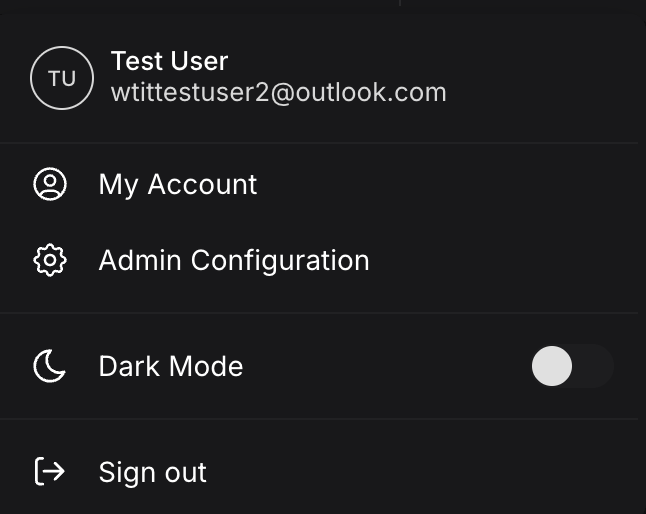
Select your profile in the upper-right hand navigation and choose "My Account", then select the "Settings" tab.
<img className="block h-64 dark:hidden" src="https://mintcdn.com/cloudred/qspV3Byj3Y3zN3yH/getting-started/credential-reset-images/my-account-menu.png?fit=max&auto=format&n=qspV3Byj3Y3zN3yH&q=85&s=af44c557a72f71207d22752366932b47" width="646" height="514" data-path="getting-started/credential-reset-images/my-account-menu.png" />

<img className="hidden h-64 dark:block" src="https://mintcdn.com/cloudred/qspV3Byj3Y3zN3yH/getting-started/credential-reset-images/my-account-menu.png?fit=max&auto=format&n=qspV3Byj3Y3zN3yH&q=85&s=af44c557a72f71207d22752366932b47" width="646" height="514" data-path="getting-started/credential-reset-images/my-account-menu.png" />

## Resetting Your Password (All Users)

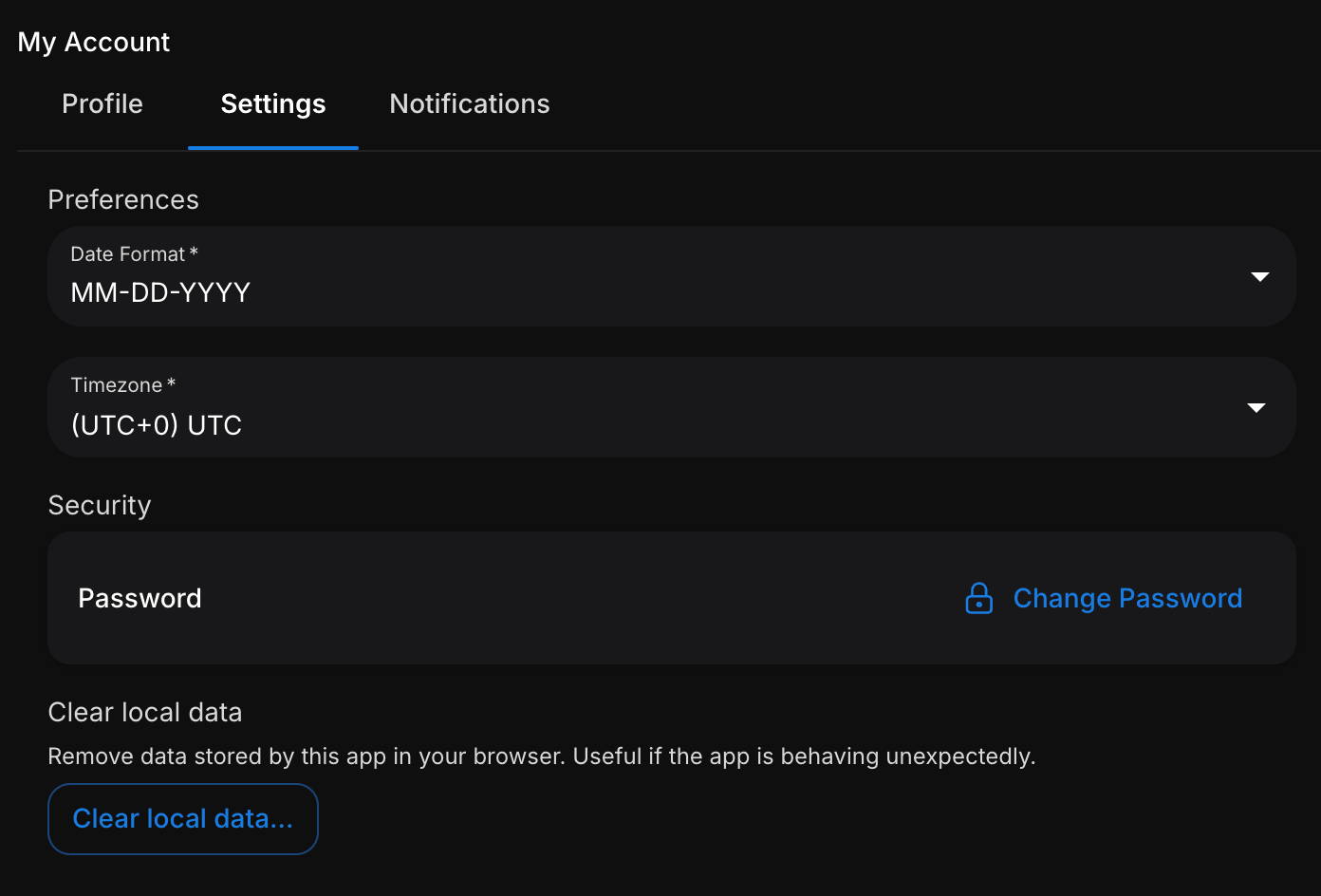
All users will see a Security section with a "Change Password" option to reset their own password.
<img className="block h-64 dark:hidden" src="https://mintcdn.com/cloudred/qspV3Byj3Y3zN3yH/getting-started/credential-reset-images/settings-user-view.png?fit=max&auto=format&n=qspV3Byj3Y3zN3yH&q=85&s=94a4cd76da2319735769319c4bb6b7c8" width="1392" height="944" data-path="getting-started/credential-reset-images/settings-user-view.png" />

<img className="hidden h-64 dark:block" src="https://mintcdn.com/cloudred/qspV3Byj3Y3zN3yH/getting-started/credential-reset-images/settings-user-view.png?fit=max&auto=format&n=qspV3Byj3Y3zN3yH&q=85&s=94a4cd76da2319735769319c4bb6b7c8" width="1392" height="944" data-path="getting-started/credential-reset-images/settings-user-view.png" />

## Resetting User Credentials (Account Admins)

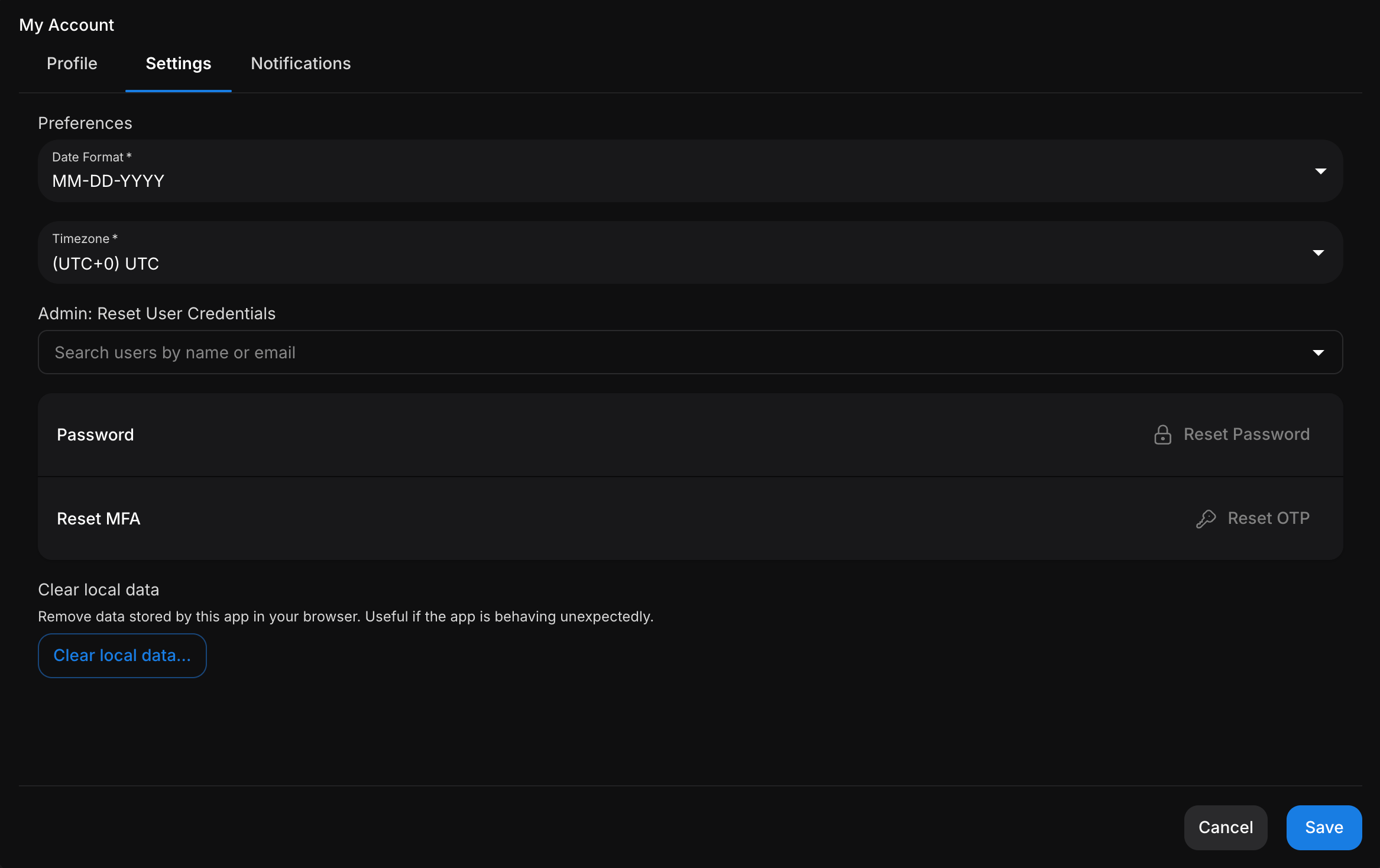
Account Admins will see an "Admin: Reset User Credentials" section. Search for and select a user by name or email — you can also select yourself.
<img className="block h-64 dark:hidden" src="https://mintcdn.com/cloudred/qspV3Byj3Y3zN3yH/getting-started/credential-reset-images/settings-admin-view.png?fit=max&auto=format&n=qspV3Byj3Y3zN3yH&q=85&s=10e7bbd134789f93cb95018b70c14bd6" width="2334" height="1468" data-path="getting-started/credential-reset-images/settings-admin-view.png" />

<img className="hidden h-64 dark:block" src="https://mintcdn.com/cloudred/qspV3Byj3Y3zN3yH/getting-started/credential-reset-images/settings-admin-view.png?fit=max&auto=format&n=qspV3Byj3Y3zN3yH&q=85&s=10e7bbd134789f93cb95018b70c14bd6" width="2334" height="1468" data-path="getting-started/credential-reset-images/settings-admin-view.png" />

Once a user is selected, choose the desired reset action:

**Reset Password** - Resets the selected user's password. The user will be required to set a new password.
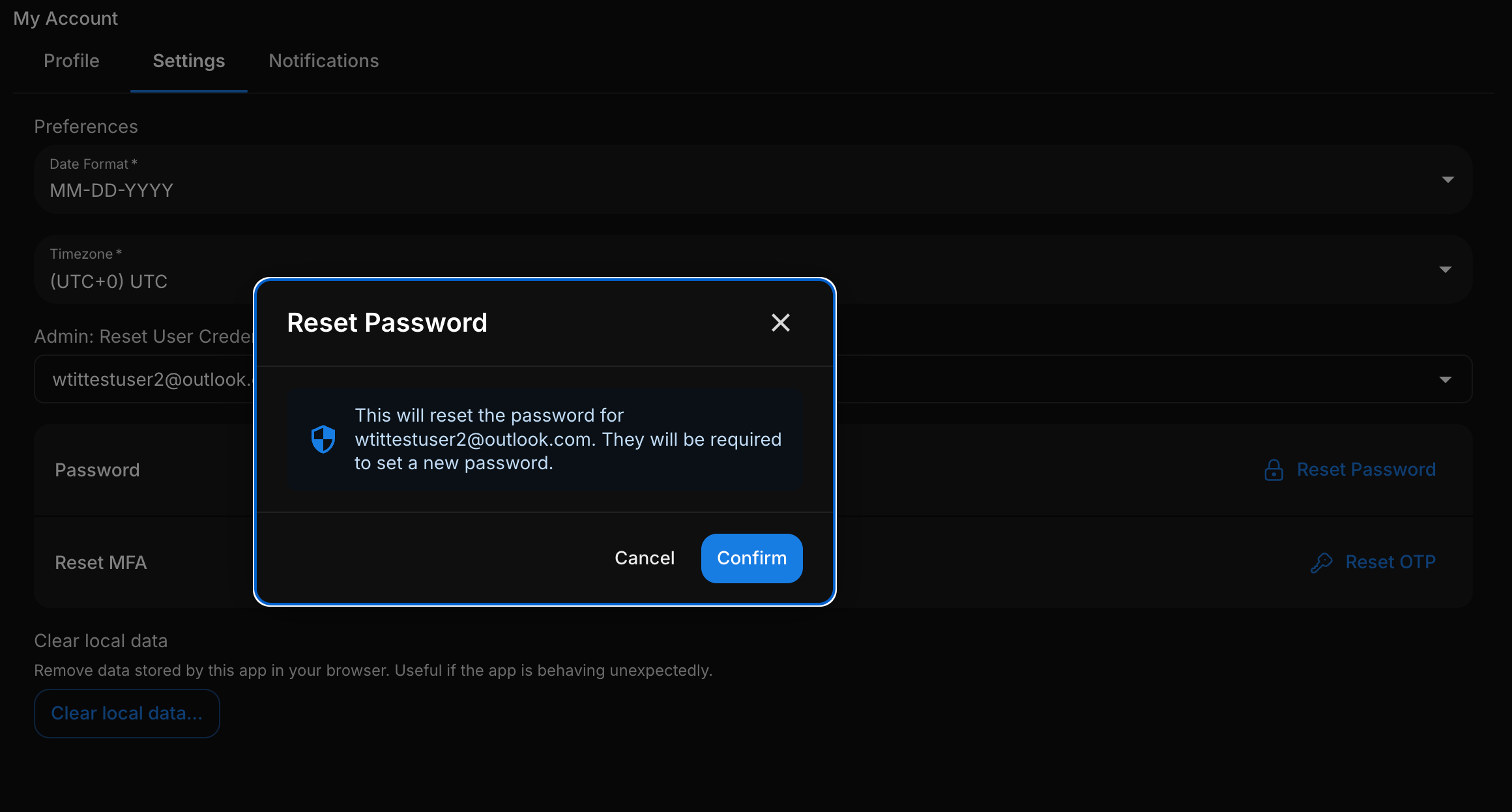
<img className="block h-64 dark:hidden" src="https://mintcdn.com/cloudred/qspV3Byj3Y3zN3yH/getting-started/credential-reset-images/reset-password-confirm.png?fit=max&auto=format&n=qspV3Byj3Y3zN3yH&q=85&s=e4aa585ace9a8724c17de74f9295715a" width="2320" height="1246" data-path="getting-started/credential-reset-images/reset-password-confirm.png" />

<img className="hidden h-64 dark:block" src="https://mintcdn.com/cloudred/qspV3Byj3Y3zN3yH/getting-started/credential-reset-images/reset-password-confirm.png?fit=max&auto=format&n=qspV3Byj3Y3zN3yH&q=85&s=e4aa585ace9a8724c17de74f9295715a" width="2320" height="1246" data-path="getting-started/credential-reset-images/reset-password-confirm.png" />

**Reset OTP** - Resets the selected user's OTP/2FA configuration. The user will be required to set it up again.
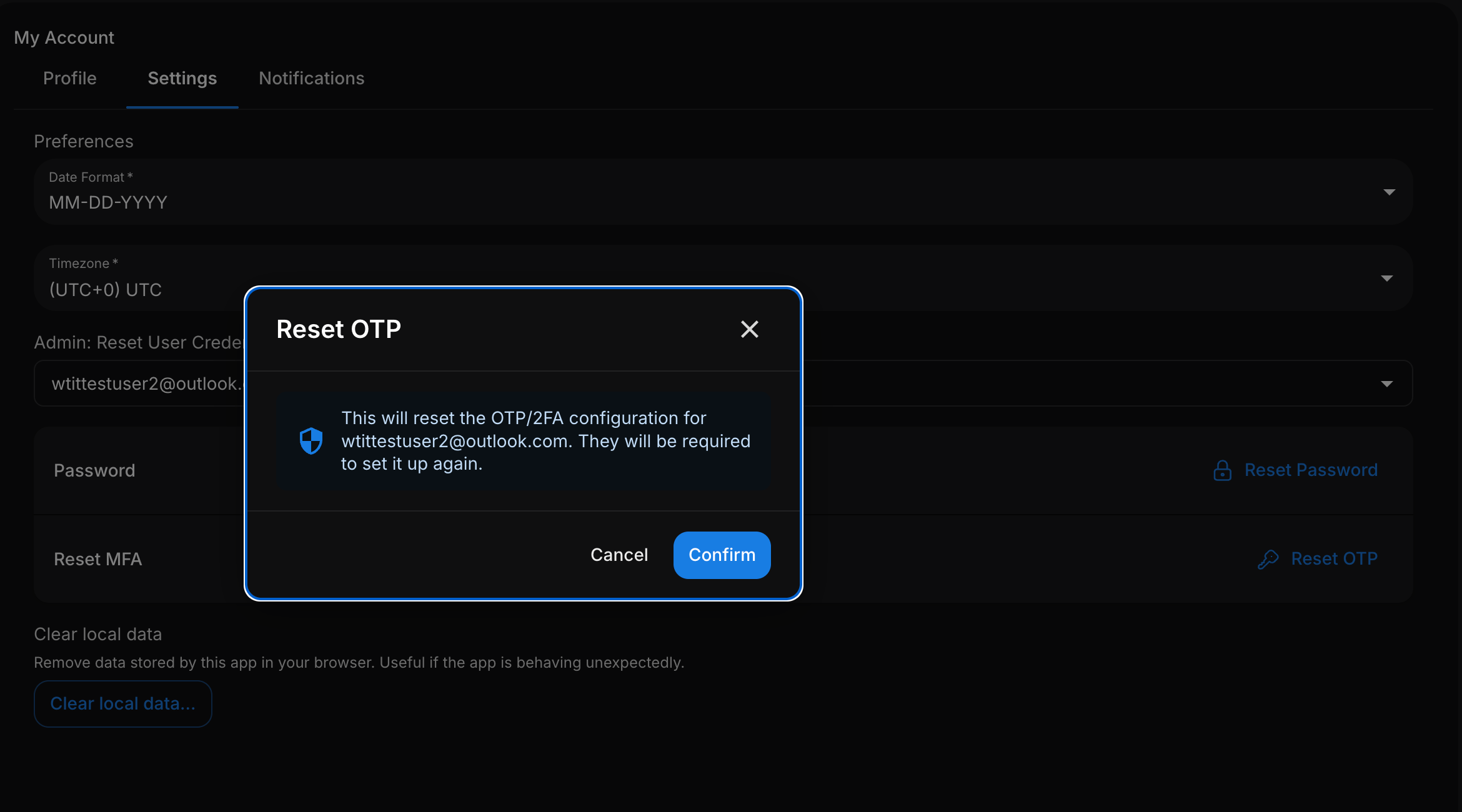
<img className="block h-64 dark:hidden" src="https://mintcdn.com/cloudred/qspV3Byj3Y3zN3yH/getting-started/credential-reset-images/reset-otp-confirm.png?fit=max&auto=format&n=qspV3Byj3Y3zN3yH&q=85&s=1ae8a362bd11d15a3637afa12b15d4f1" width="2340" height="1300" data-path="getting-started/credential-reset-images/reset-otp-confirm.png" />

<img className="hidden h-64 dark:block" src="https://mintcdn.com/cloudred/qspV3Byj3Y3zN3yH/getting-started/credential-reset-images/reset-otp-confirm.png?fit=max&auto=format&n=qspV3Byj3Y3zN3yH&q=85&s=1ae8a362bd11d15a3637afa12b15d4f1" width="2340" height="1300" data-path="getting-started/credential-reset-images/reset-otp-confirm.png" />

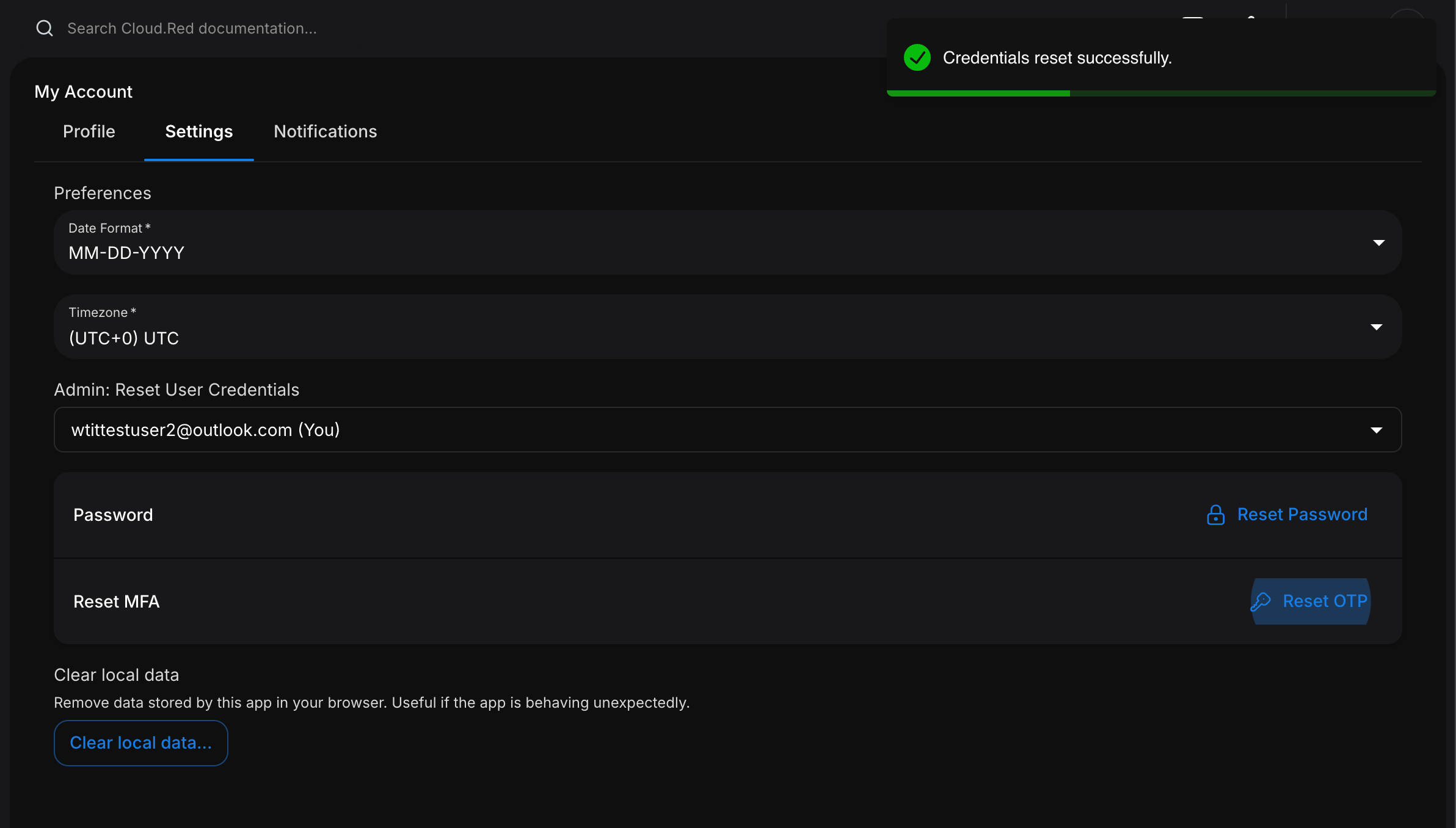
Select "Confirm" and a "Credentials reset successfully." notification will appear.
<img className="block h-64 dark:hidden" src="https://mintcdn.com/cloudred/qspV3Byj3Y3zN3yH/getting-started/credential-reset-images/reset-success.png?fit=max&auto=format&n=qspV3Byj3Y3zN3yH&q=85&s=4a73b6581d637141581d0905d0bd15c9" width="2384" height="1356" data-path="getting-started/credential-reset-images/reset-success.png" />

<img className="hidden h-64 dark:block" src="https://mintcdn.com/cloudred/qspV3Byj3Y3zN3yH/getting-started/credential-reset-images/reset-success.png?fit=max&auto=format&n=qspV3Byj3Y3zN3yH&q=85&s=4a73b6581d637141581d0905d0bd15c9" width="2384" height="1356" data-path="getting-started/credential-reset-images/reset-success.png" />

## Completing the Reset

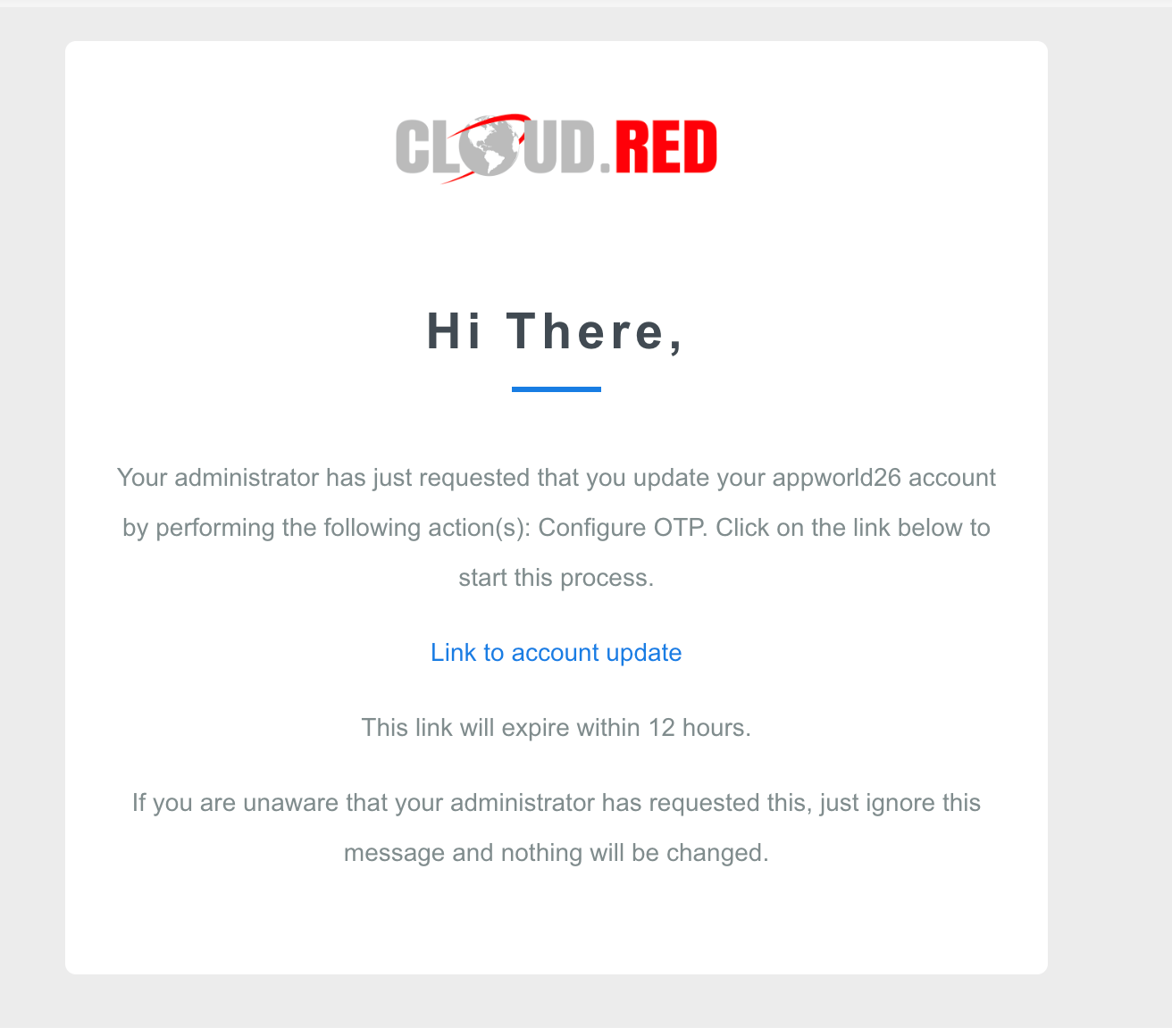
The user will receive an email with a link to complete the reset.

<Info>The link in the email will expire within 12 hours, but the reset requirement does not. The user will still be required to complete the reset at their next login.</Info>

<img className="block h-64 dark:hidden" src="https://mintcdn.com/cloudred/qspV3Byj3Y3zN3yH/getting-started/credential-reset-images/reset-email.png?fit=max&auto=format&n=qspV3Byj3Y3zN3yH&q=85&s=6a37d47b24c7dcf917823d03a83d5613" width="1312" height="1160" data-path="getting-started/credential-reset-images/reset-email.png" />

<img className="hidden h-64 dark:block" src="https://mintcdn.com/cloudred/qspV3Byj3Y3zN3yH/getting-started/credential-reset-images/reset-email.png?fit=max&auto=format&n=qspV3Byj3Y3zN3yH&q=85&s=6a37d47b24c7dcf917823d03a83d5613" width="1312" height="1160" data-path="getting-started/credential-reset-images/reset-email.png" />

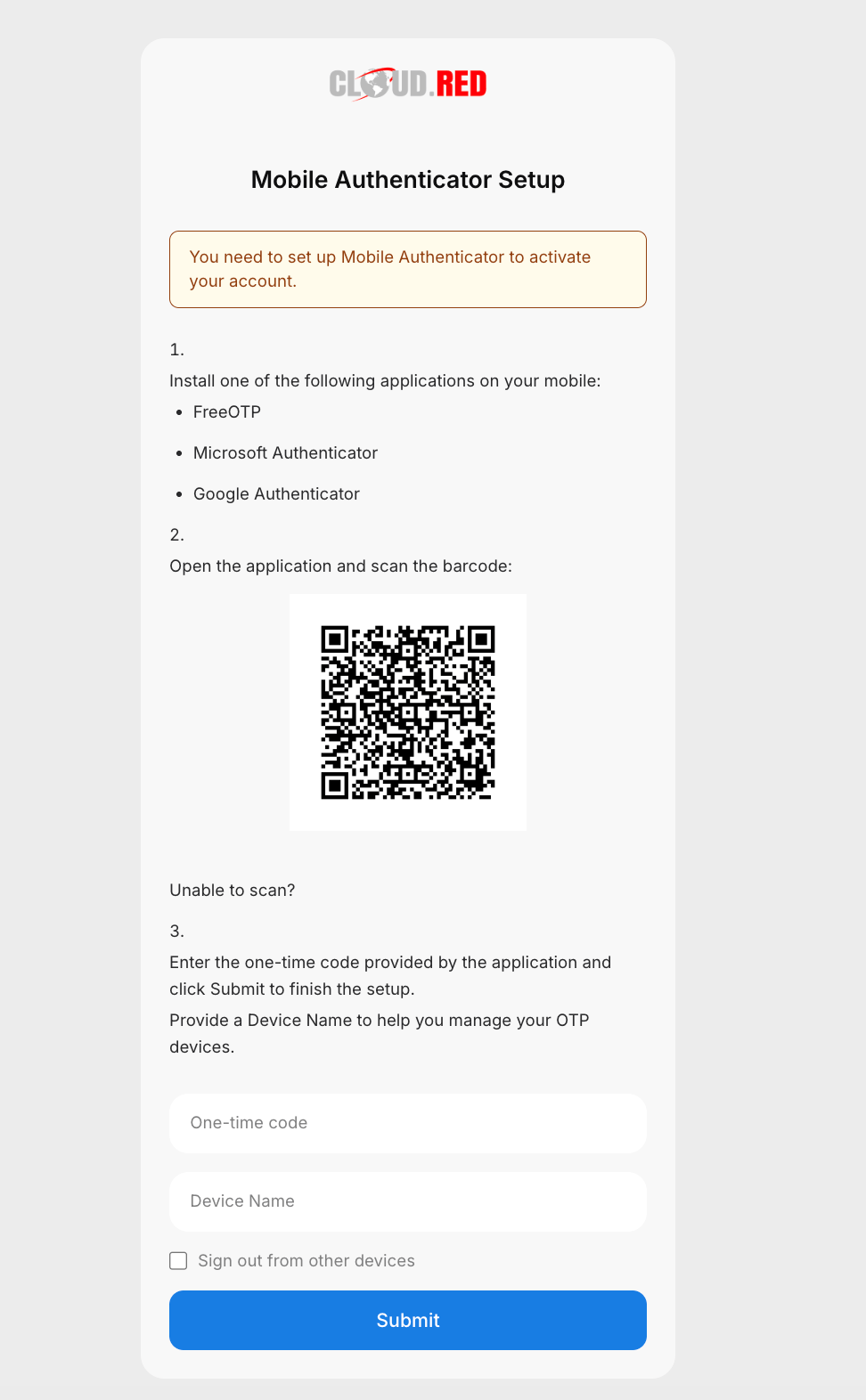
For an OTP reset, the link opens the Mobile Authenticator Setup page. Scan the QR code with an authenticator app (FreeOTP, Microsoft Authenticator, or Google Authenticator), then enter the one-time code and a device name to finish the setup.
<img className="block h-64 dark:hidden" src="https://mintcdn.com/cloudred/qspV3Byj3Y3zN3yH/getting-started/credential-reset-images/otp-setup.png?fit=max&auto=format&n=qspV3Byj3Y3zN3yH&q=85&s=623d8cee082341f4741398aacb7fecc2" width="972" height="1572" data-path="getting-started/credential-reset-images/otp-setup.png" />

<img className="hidden h-64 dark:block" src="https://mintcdn.com/cloudred/qspV3Byj3Y3zN3yH/getting-started/credential-reset-images/otp-setup.png?fit=max&auto=format&n=qspV3Byj3Y3zN3yH&q=85&s=623d8cee082341f4741398aacb7fecc2" width="972" height="1572" data-path="getting-started/credential-reset-images/otp-setup.png" />

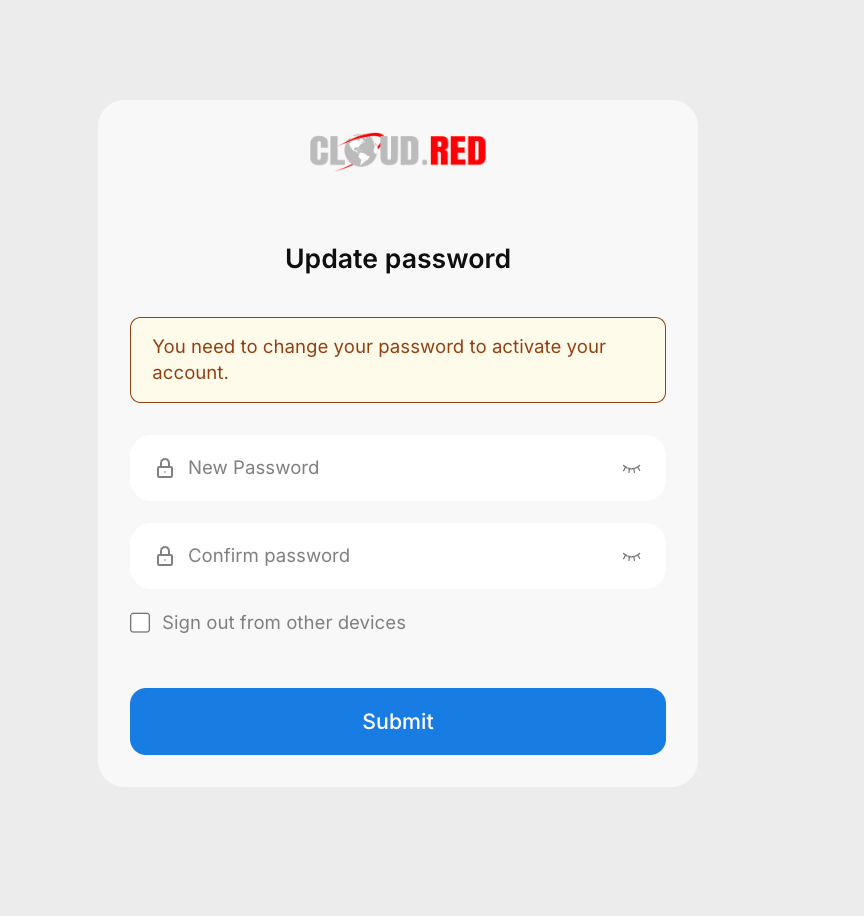
For a password reset, the link opens the Update Password page where the user sets and confirms a new password.

<Tip>Check "Sign out from other devices" to end any other active sessions when completing the reset.</Tip>

<img className="block h-64 dark:hidden" src="https://mintcdn.com/cloudred/qspV3Byj3Y3zN3yH/getting-started/credential-reset-images/password-update.png?fit=max&auto=format&n=qspV3Byj3Y3zN3yH&q=85&s=761f139c8109383a88b85a4003119dc0" width="864" height="916" data-path="getting-started/credential-reset-images/password-update.png" />

<img className="hidden h-64 dark:block" src="https://mintcdn.com/cloudred/qspV3Byj3Y3zN3yH/getting-started/credential-reset-images/password-update.png?fit=max&auto=format&n=qspV3Byj3Y3zN3yH&q=85&s=761f139c8109383a88b85a4003119dc0" width="864" height="916" data-path="getting-started/credential-reset-images/password-update.png" />