> ## Documentation Index
> Fetch the complete documentation index at: https://docs.cloud.red/llms.txt
> Use this file to discover all available pages before exploring further.
# History
> View and filter execution history of previously run tasks throughout the orchestration section.
The **History** page provides a centralized record of all previously executed solutions.\
It enables monitoring of execution activity, reviewing of outcomes, and filtering of results to support faster troubleshooting.
***
## 📌 Overview
The **History page** provides the following capabilities:
* View a list of all previously run solutions
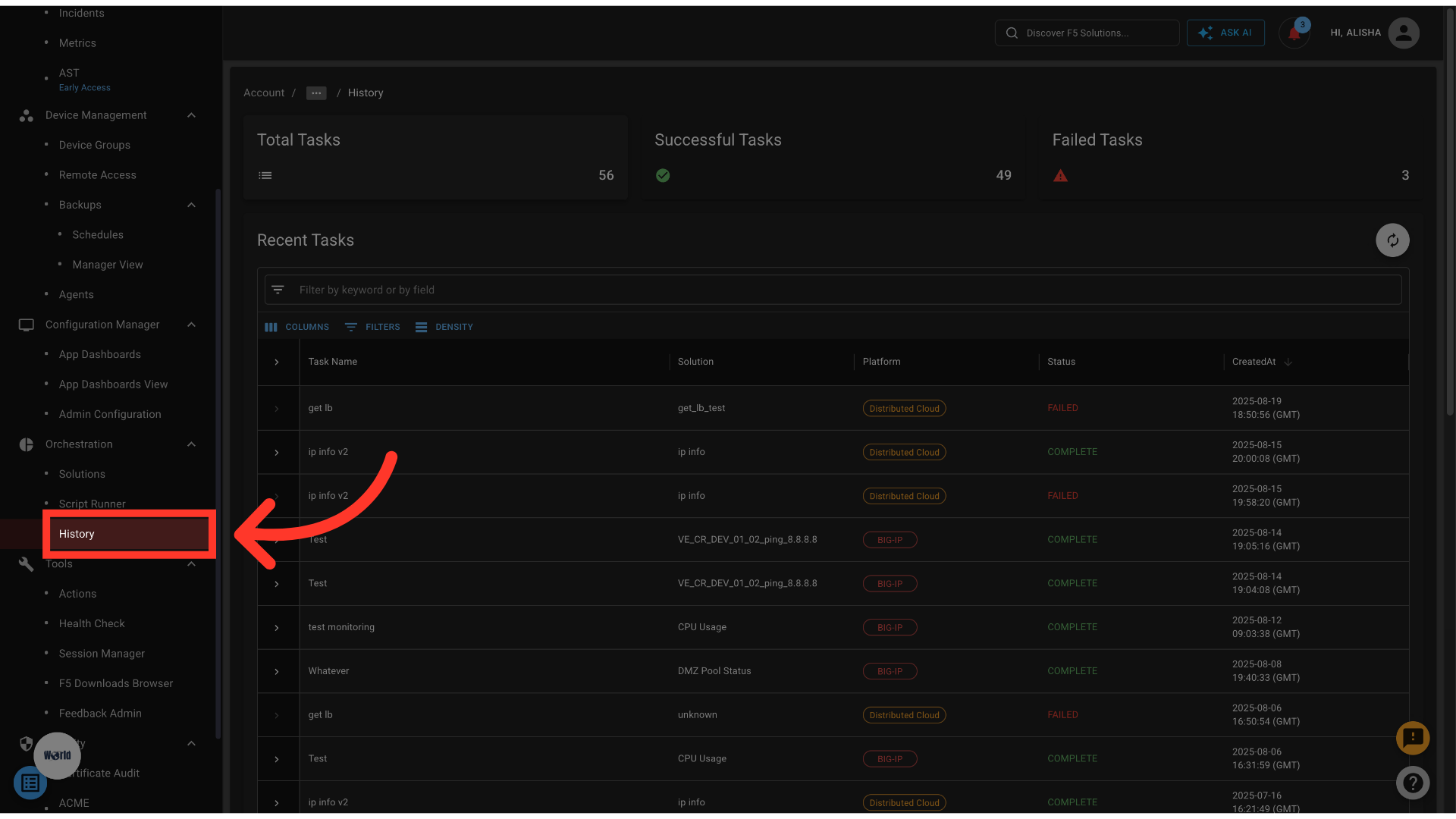 * Track execution details such as platform, status, and timestamp
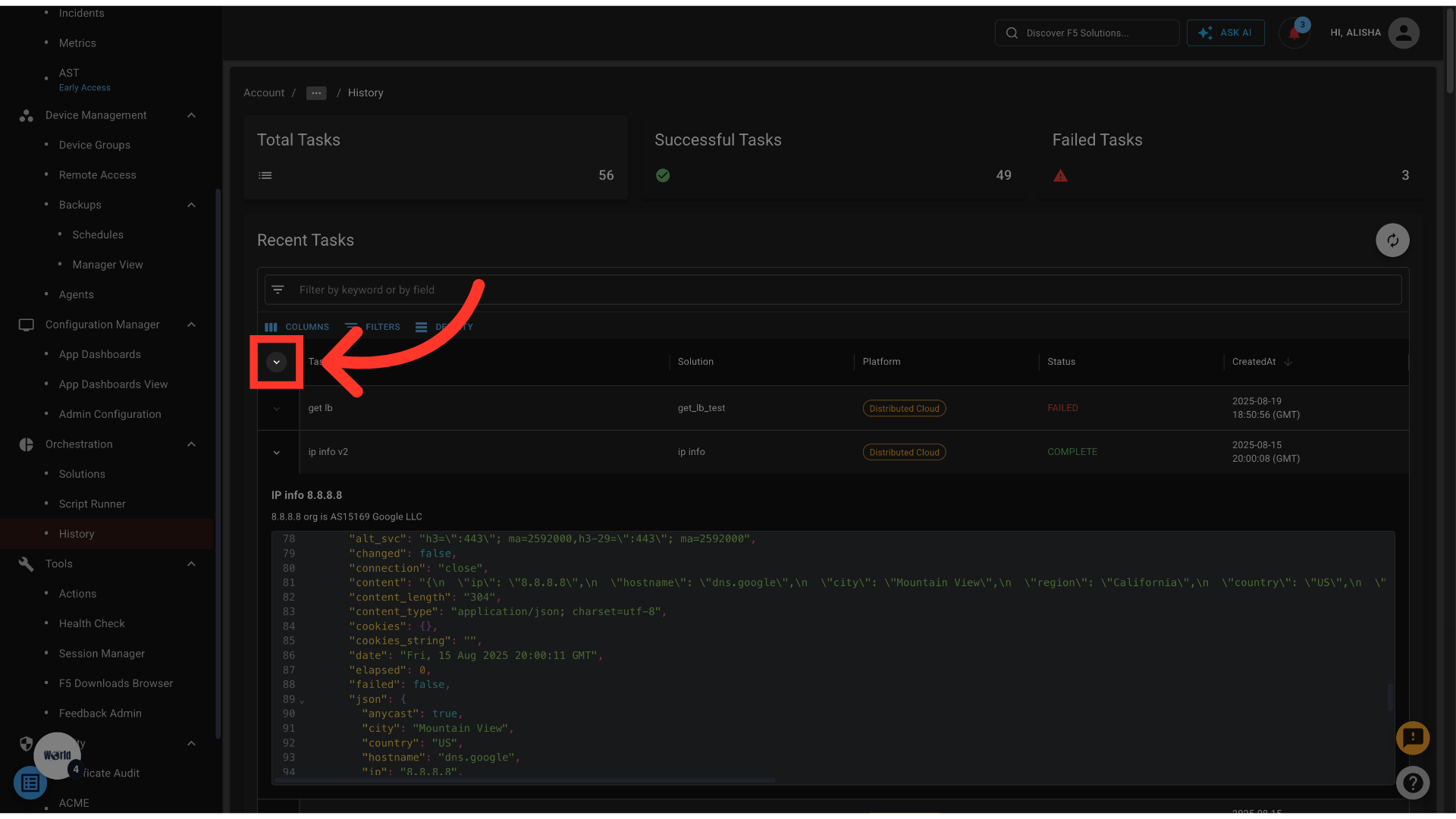
* Detail panel shows the executed task result
* Track execution details such as platform, status, and timestamp
* Detail panel shows the executed task result
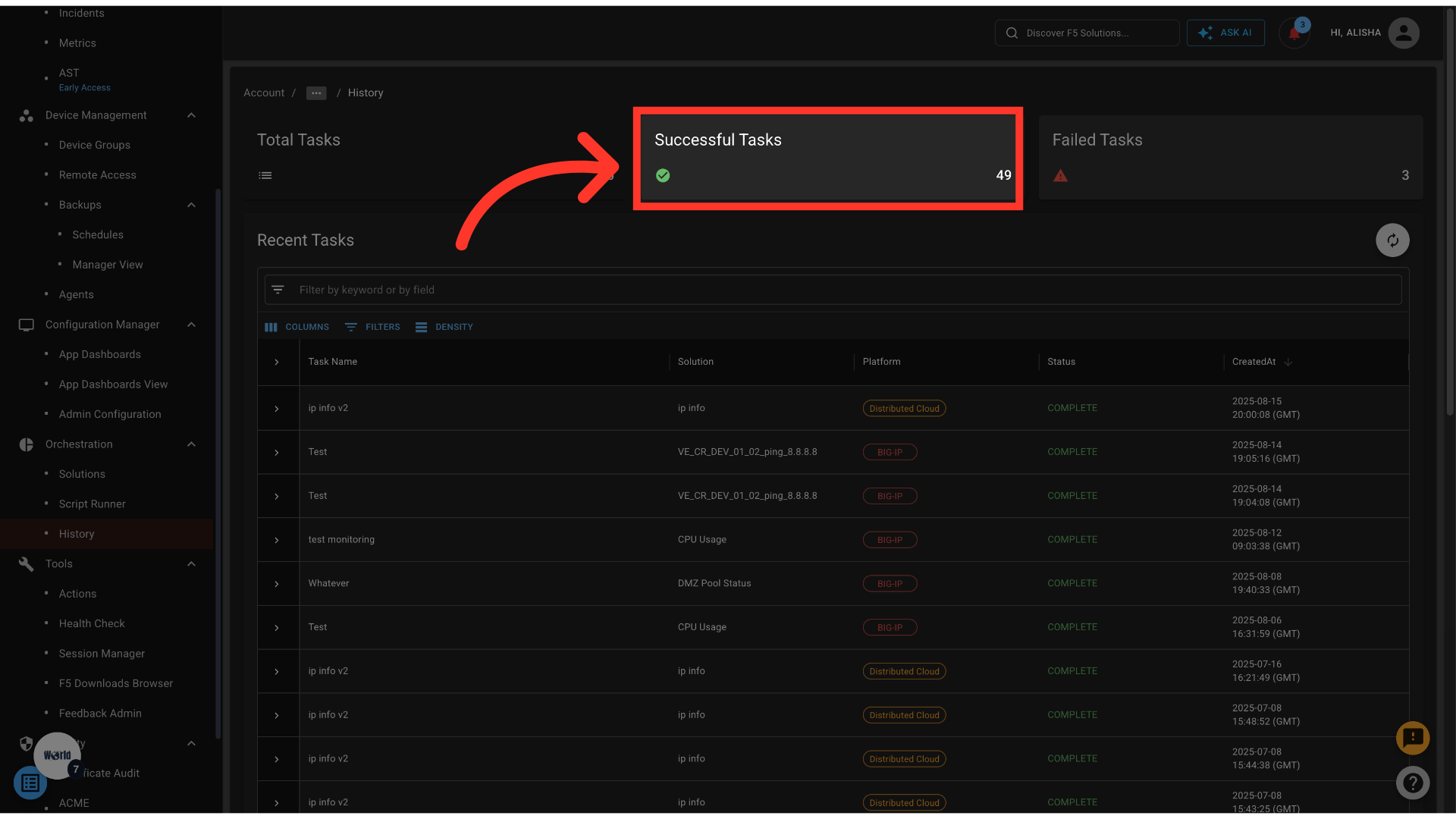
 * Filter results to focus on **successful** or **failed** tasks
 * Quickly identify patterns in execution outcomes
***
## 📋 History Table
The table displays a log of solution executions with the following columns:
| Column | Description |
| ------------- | -------------------------------------------------- |
| **Solution** | The name of the solution that was executed |
| **Platform** | The platform or environment where the solution ran |
| **Status** | Execution status — *Successful* or *Failed* |
| **Timestamp** | Date and time when the solution was run |
***
## 🔍 Filtering Results
Use filters to refine the table:
* **Successful** → Shows only solutions that completed without errors
* **Failed** → Shows only solutions that encountered errors
This makes it easy to separate working runs from those requiring investigation.
* Quickly identify patterns in execution outcomes
***
## 📋 History Table
The table displays a log of solution executions with the following columns:
| Column | Description |
| ------------- | -------------------------------------------------- |
| **Solution** | The name of the solution that was executed |
| **Platform** | The platform or environment where the solution ran |
| **Status** | Execution status — *Successful* or *Failed* |
| **Timestamp** | Date and time when the solution was run |
***
## 🔍 Filtering Results
Use filters to refine the table:
* **Successful** → Shows only solutions that completed without errors
* **Failed** → Shows only solutions that encountered errors
This makes it easy to separate working runs from those requiring investigation.