> ## Documentation Index
> Fetch the complete documentation index at: https://docs.cloud.red/llms.txt
> Use this file to discover all available pages before exploring further.
# Solutions
> Solutions provides an effective way to run predefined actions against targeted devices without needing direct access to the devices.
The **Solutions** page is the entry point for orchestration.\
Solutions provide an easy way to access and run scripts created by admins, combined with predefined **devices** and **permissions**.
***
## 📌 Overview
The **Solutions page** displays all created solutions in a **table view**, making it easy to:
* Organize scripts and services into accessible solutions
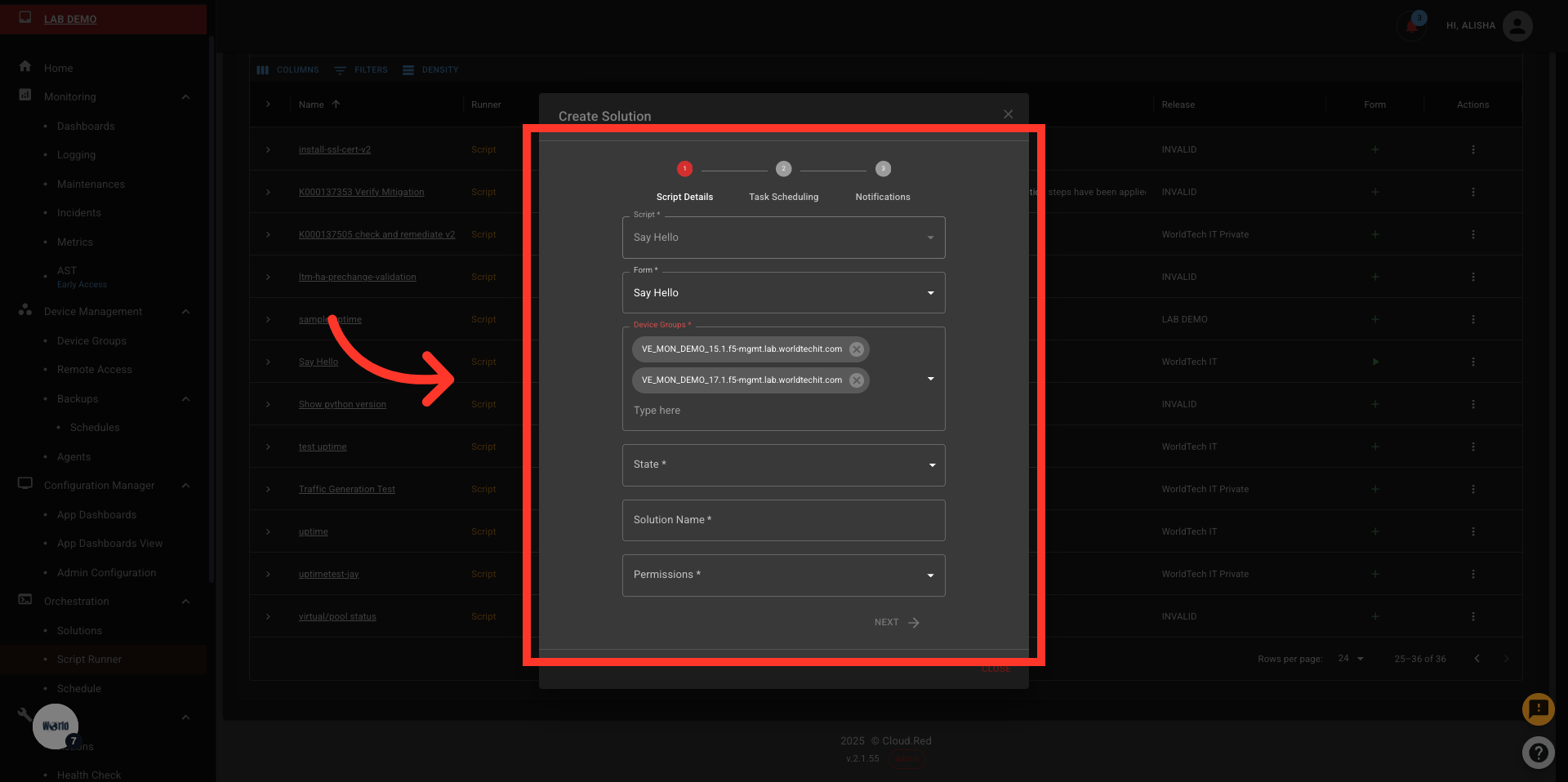
* Control which device groups the solution runs against
* Manage user permissions for execution
* Quickly perform actions such as execution, tagging, and deletion
***
## 📋 Solutions Table
Each created solution appears in a structured table with the following columns:
| Column | Description |
| ----------------------- | --------------------------------------------------------------------------------------------------------------------------------------- |
| **Solution** | Name of the solution |
| **Service Description** | Explanation of the underlying script or service |
| **Platform** | Platform or environment the solution targets |
| **Actions** | Actions available for that solution, such as:
• Execute Form
• Set Permissions
• Add Tags
• Delete Solution |
***
## 🛠 Creating a Solution
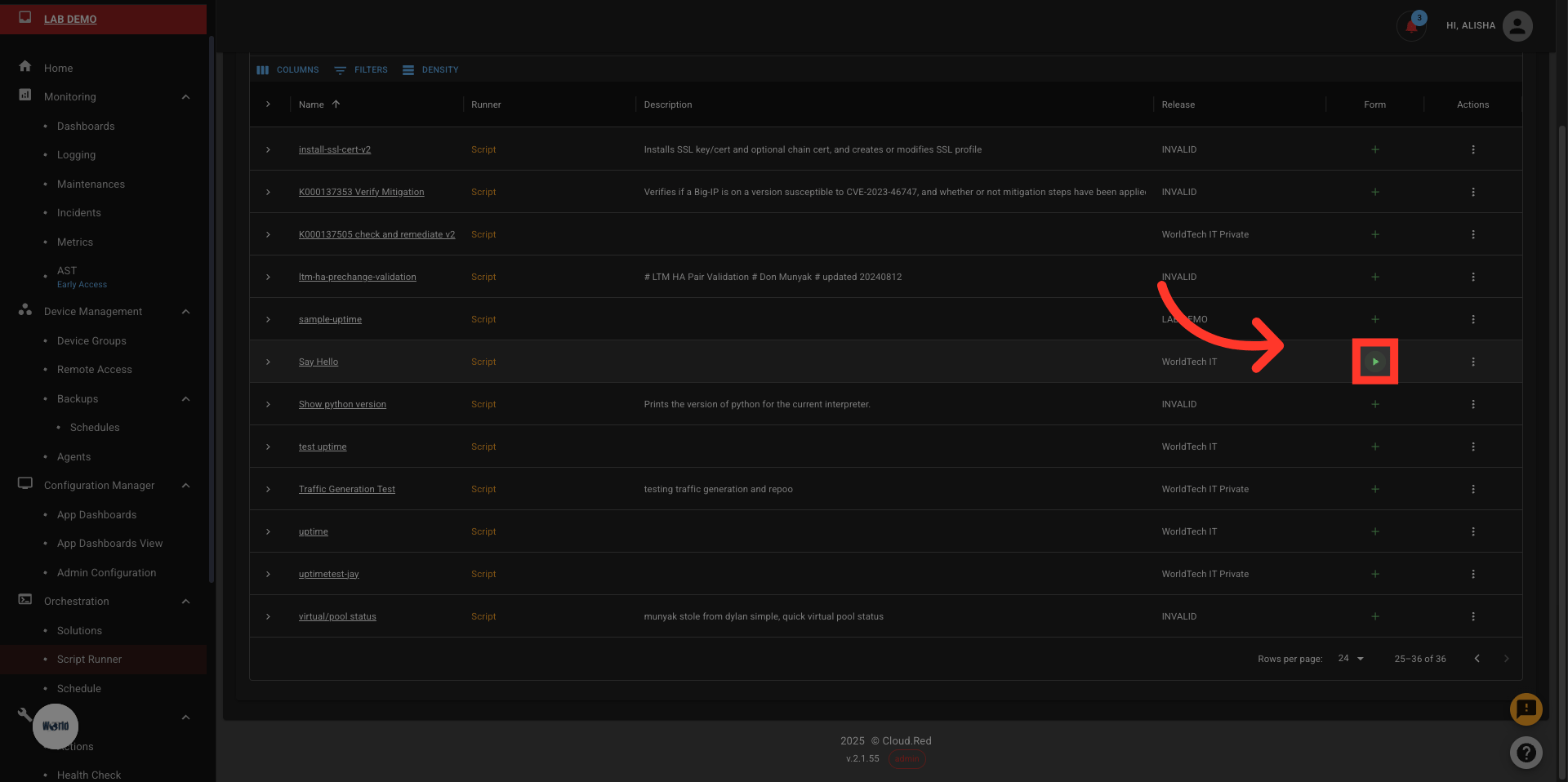
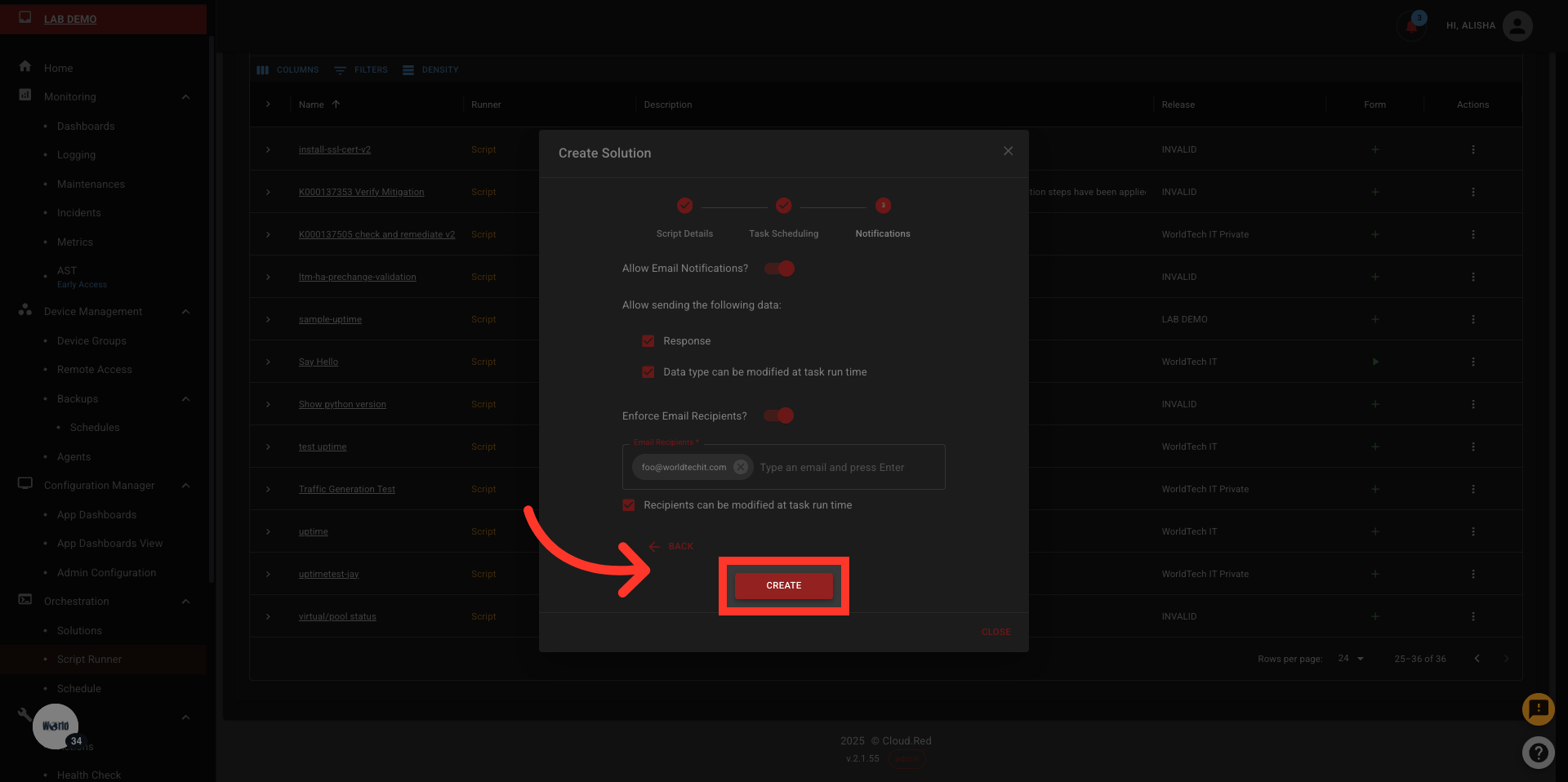
Solutions can be created by admins only, from either a **Script** or an **Ansible Service** that has a form attached to it.
1. Identify if a script/service has a form attached to it. If not create a form to run the script/service.
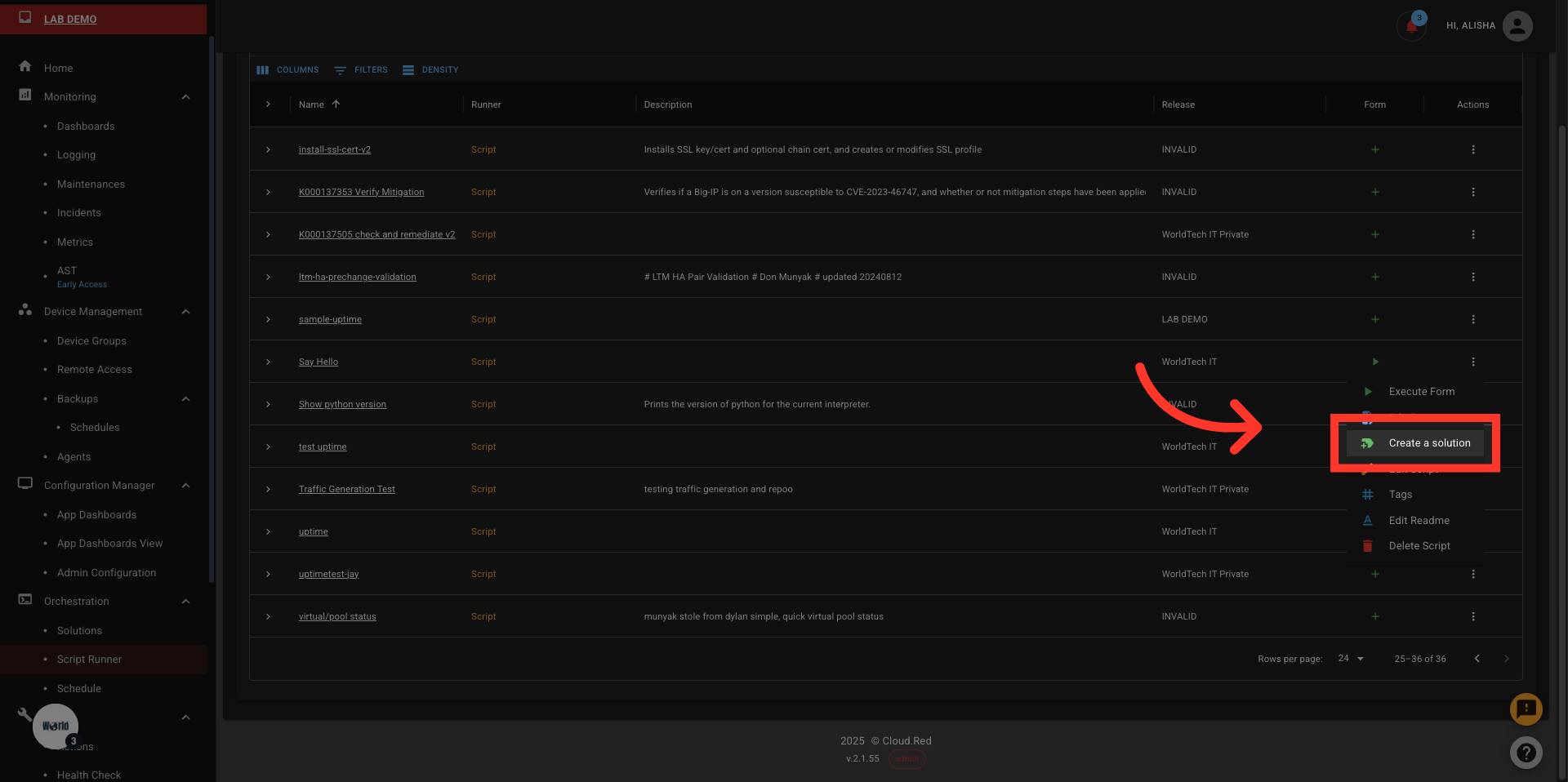
 2. Click the actions menu to get the **Create a Solution** option
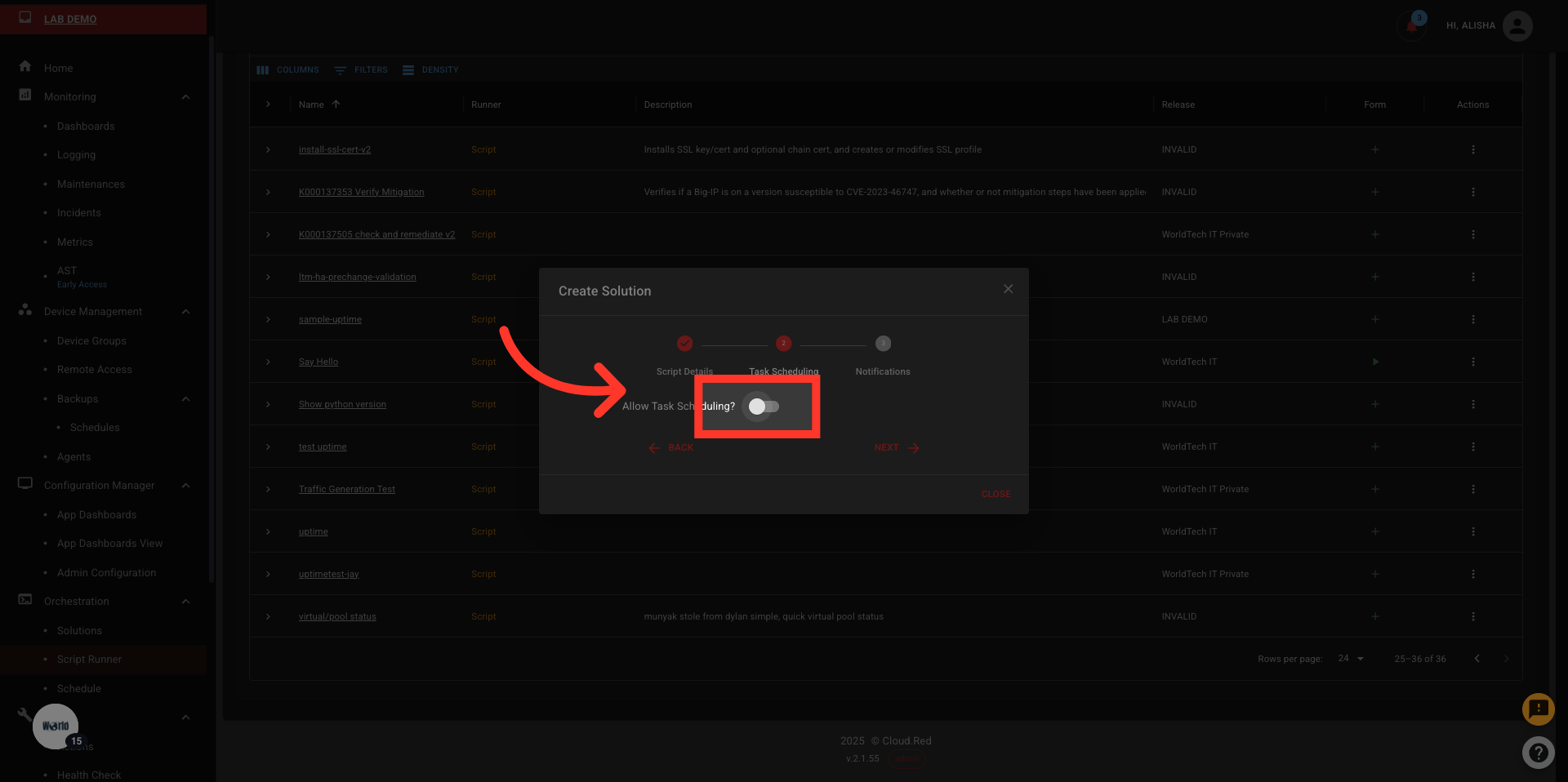
 3. Fill out the form in three steps and add necessary permissions.
 ***
### 🔒 Additional Permissions and Settings
When creating a solution, additional permissions and execution settings can be configured:
* **Allow Task Scheduling** – enable scheduling of tasks for automated execution
* Supported scheduling windows:
* Daily
* Weekdays
* Last day of the month
* First weekday of the month
* Specific months
* **Allow Email Notifications** – enable sending notifications for task events
* **Data Permissions** – configure whether response data can be sent in notifications
* **Restrict Email Recipients** – define limitations on who can receive email notifications
***
## 🚀 Execute Solution
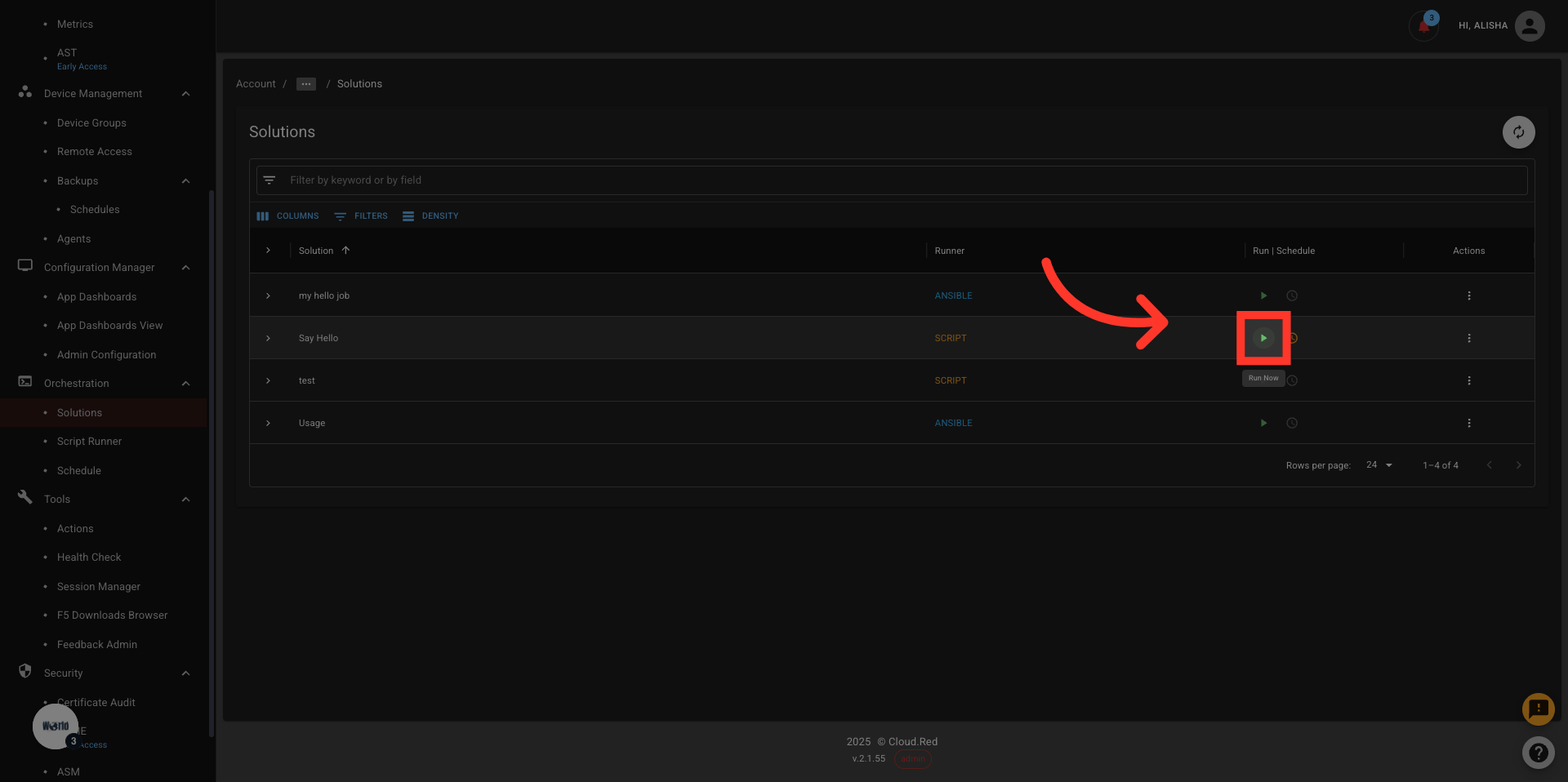
The execute icon allows the user to run the solution directly through the solution's page.
***
### 🔒 Additional Permissions and Settings
When creating a solution, additional permissions and execution settings can be configured:
* **Allow Task Scheduling** – enable scheduling of tasks for automated execution
* Supported scheduling windows:
* Daily
* Weekdays
* Last day of the month
* First weekday of the month
* Specific months
* **Allow Email Notifications** – enable sending notifications for task events
* **Data Permissions** – configure whether response data can be sent in notifications
* **Restrict Email Recipients** – define limitations on who can receive email notifications
***
## 🚀 Execute Solution
The execute icon allows the user to run the solution directly through the solution's page.
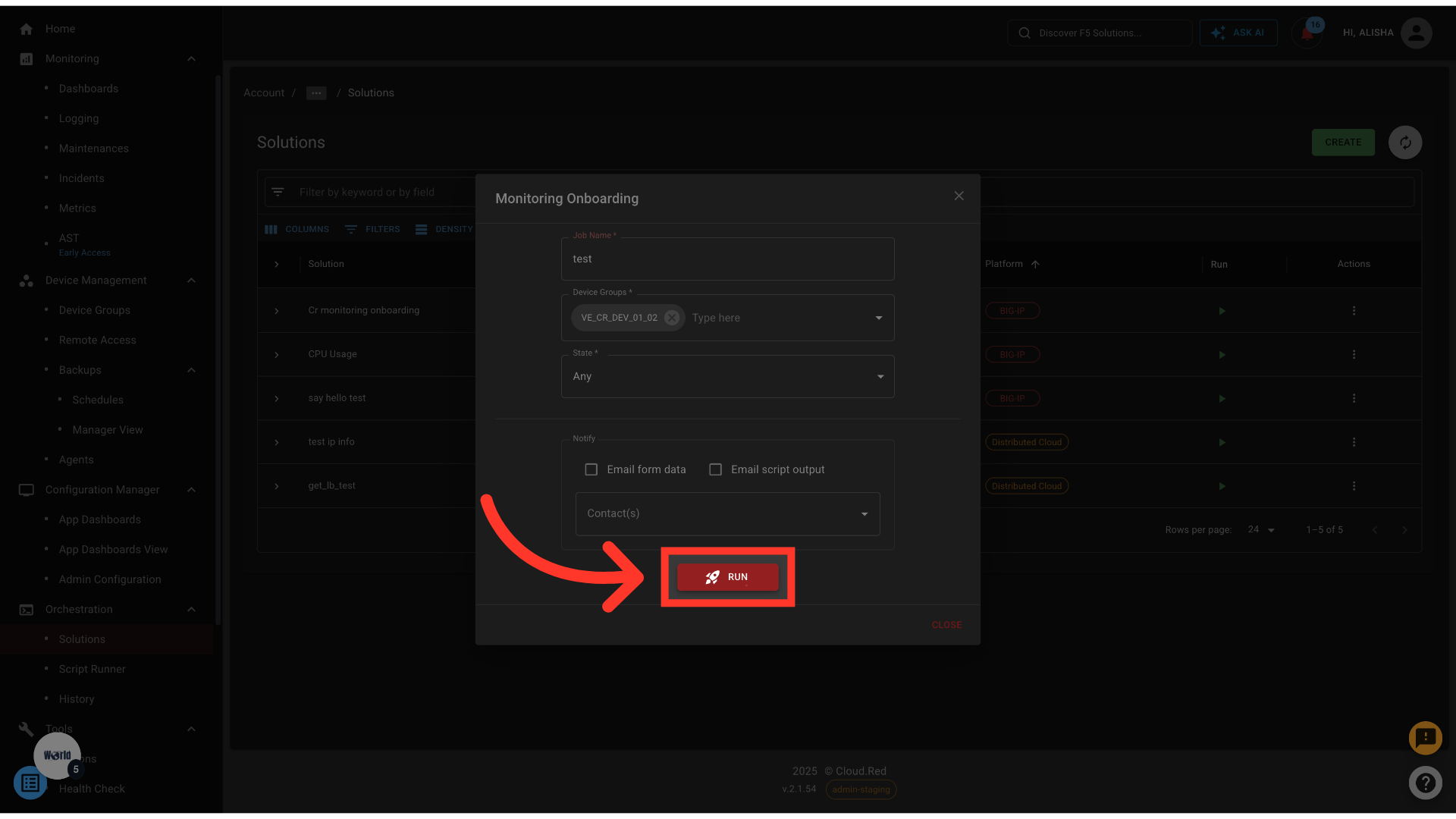
 Users with adequate permissions to access the solution will be able to complete the required form and execute the solution.
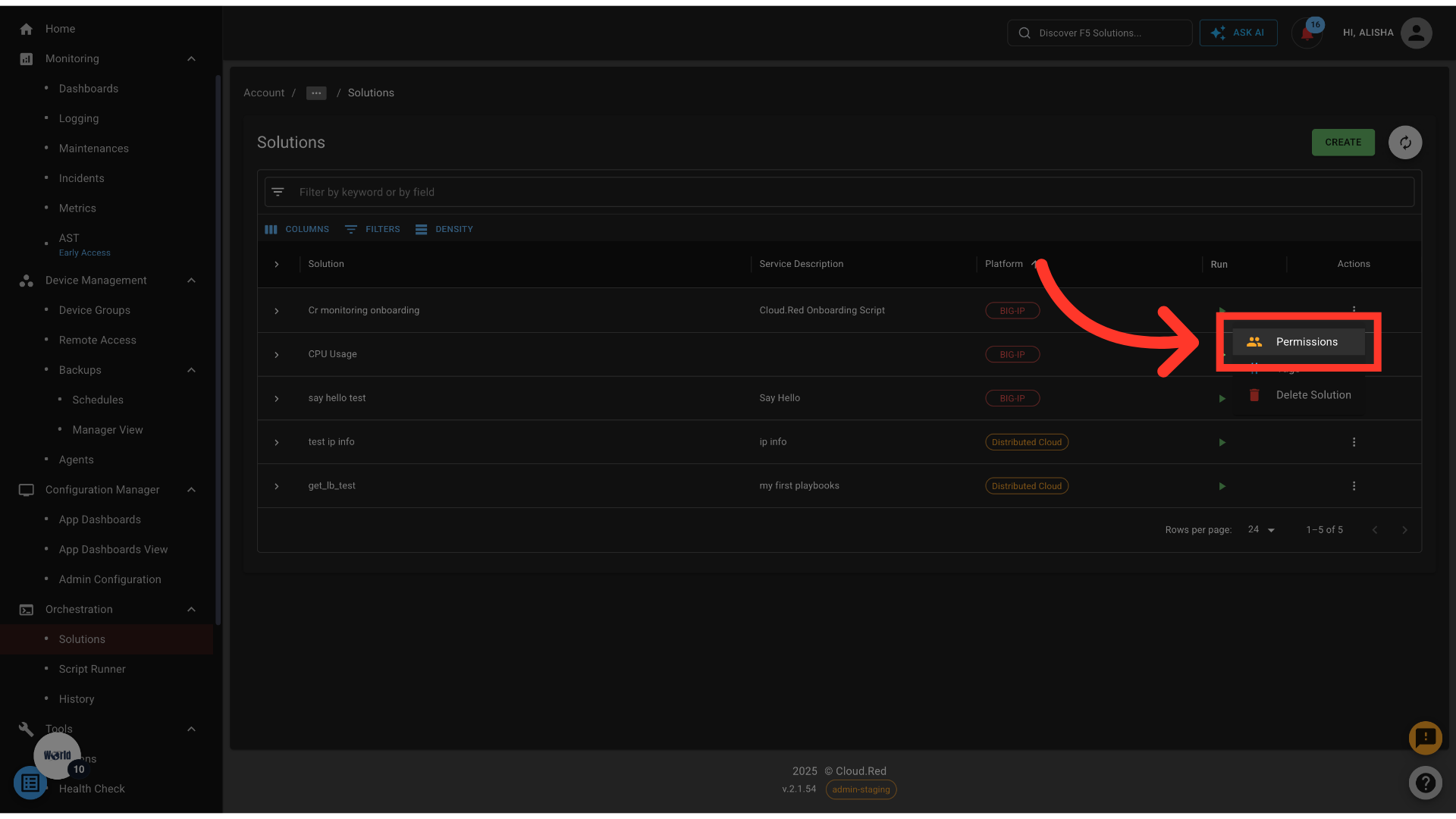
 Authorized users can edit permissions to determine which Cloud.Red users may access the solution.
 ***
## Why Use Solutions?
* **Centralized Access**: One place to run approved scripts and services
* **Predefined Targets**: Runs against preselected device groups
* **Permission Control**: Restrict execution to only authorized users **without** providing direct access to the devices.
* **Streamlined Execution**: No need to reconfigure script or service settings each time
***
## Why Use Solutions?
* **Centralized Access**: One place to run approved scripts and services
* **Predefined Targets**: Runs against preselected device groups
* **Permission Control**: Restrict execution to only authorized users **without** providing direct access to the devices.
* **Streamlined Execution**: No need to reconfigure script or service settings each time