
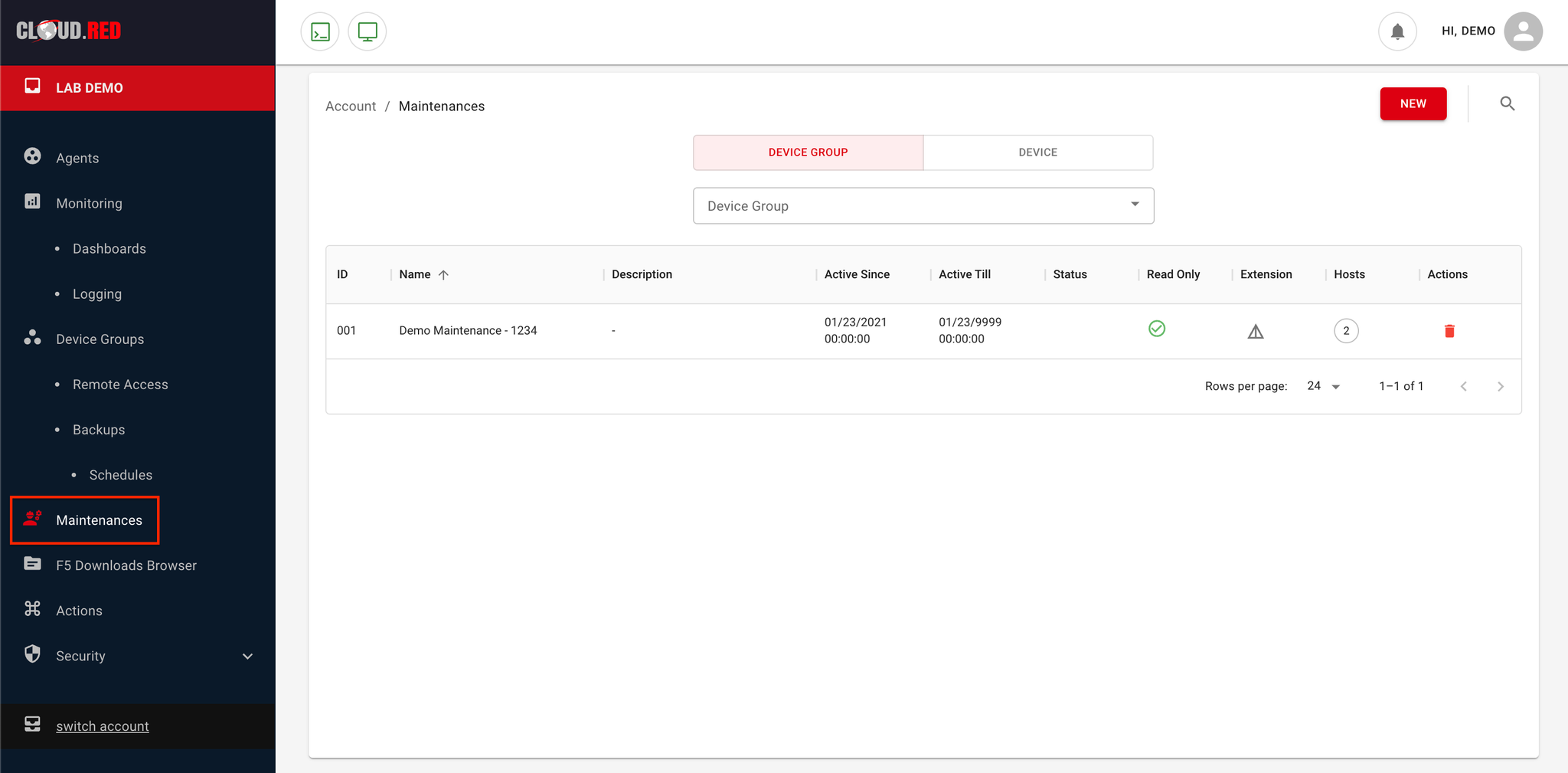
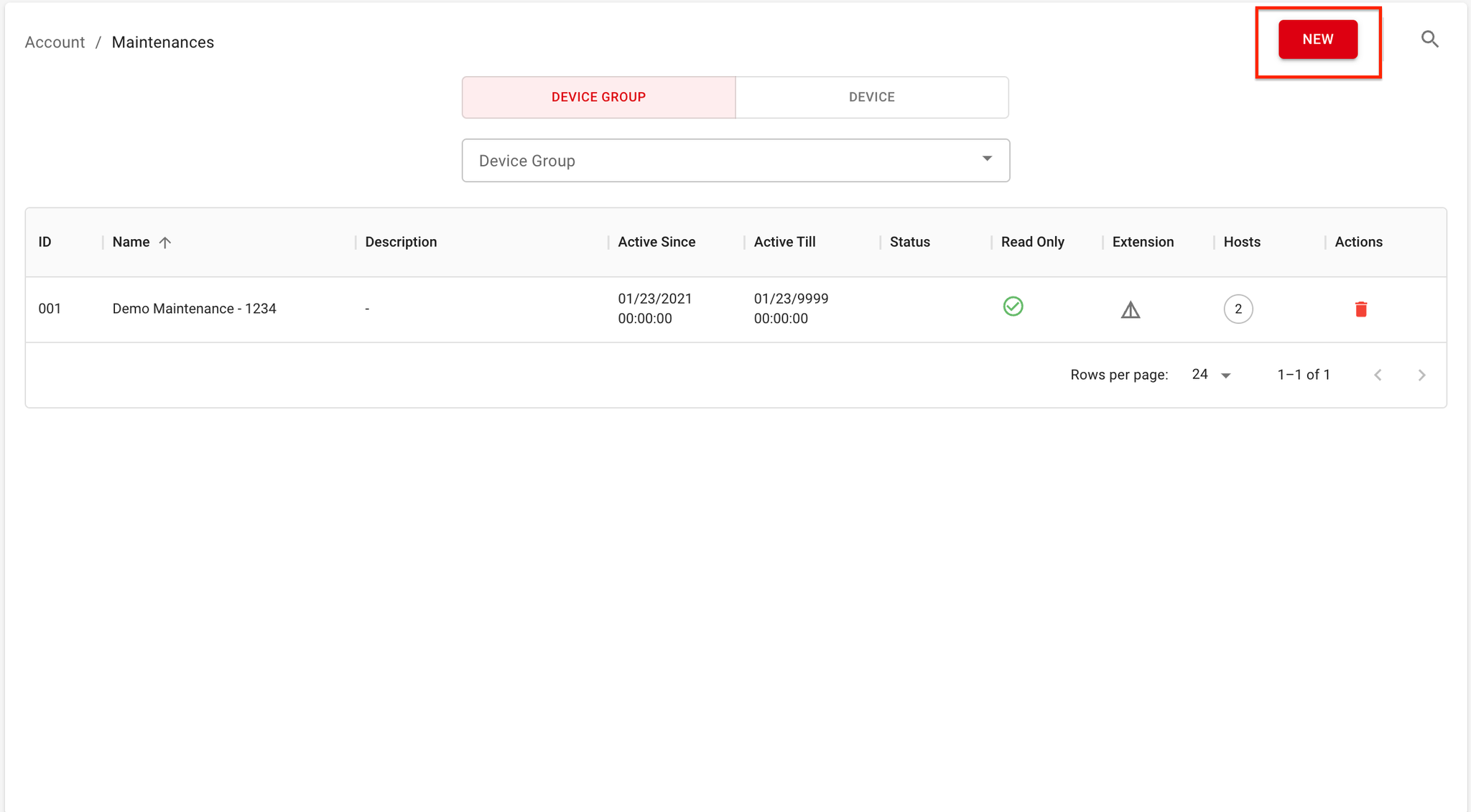
- Click on the “New” button to create a new maintenance period.
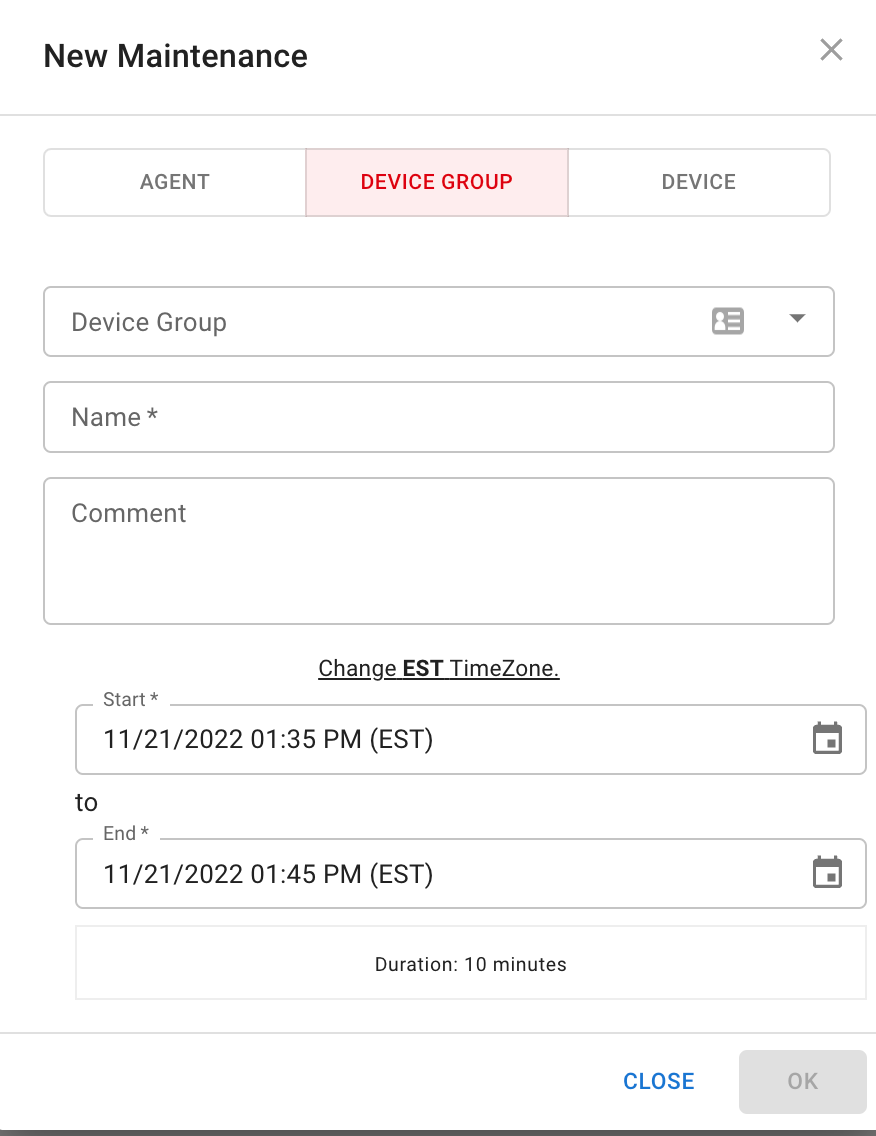
- Device Group or Device
- Select either “Device Group” or “Device” to apply the maintenance window to.
- Name
- Enter a unique name for the maintenance window
- Comment
- Optional: Add a comment to provide a description of the maintenance window.
- Start Time
- Select your TimeZone, and set the start time for the maintenance window.
The time is set to 12:00 AM GMT by default.
- Select your TimeZone, and set the start time for the maintenance window.
- End Time
- Set the end time for the maintenance window.
- Confirm
- Click “Create” to create the maintenance period.