
You must be an Account Admin to view or change global settings.
Change the Access Token Lifespan
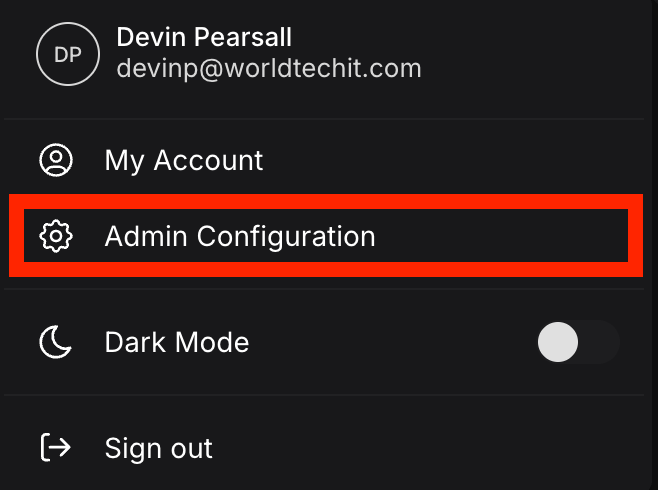
- Click your profile in the top-right corner, then select Admin Configuration.
- In Admin Configuration, select the Global Settings tab.
- Scroll to the bottom of Global Settings to find the Access Token Lifespan field. Enter a value and choose a Unit from the dropdown. Available units are Seconds, Minutes, and Hours.
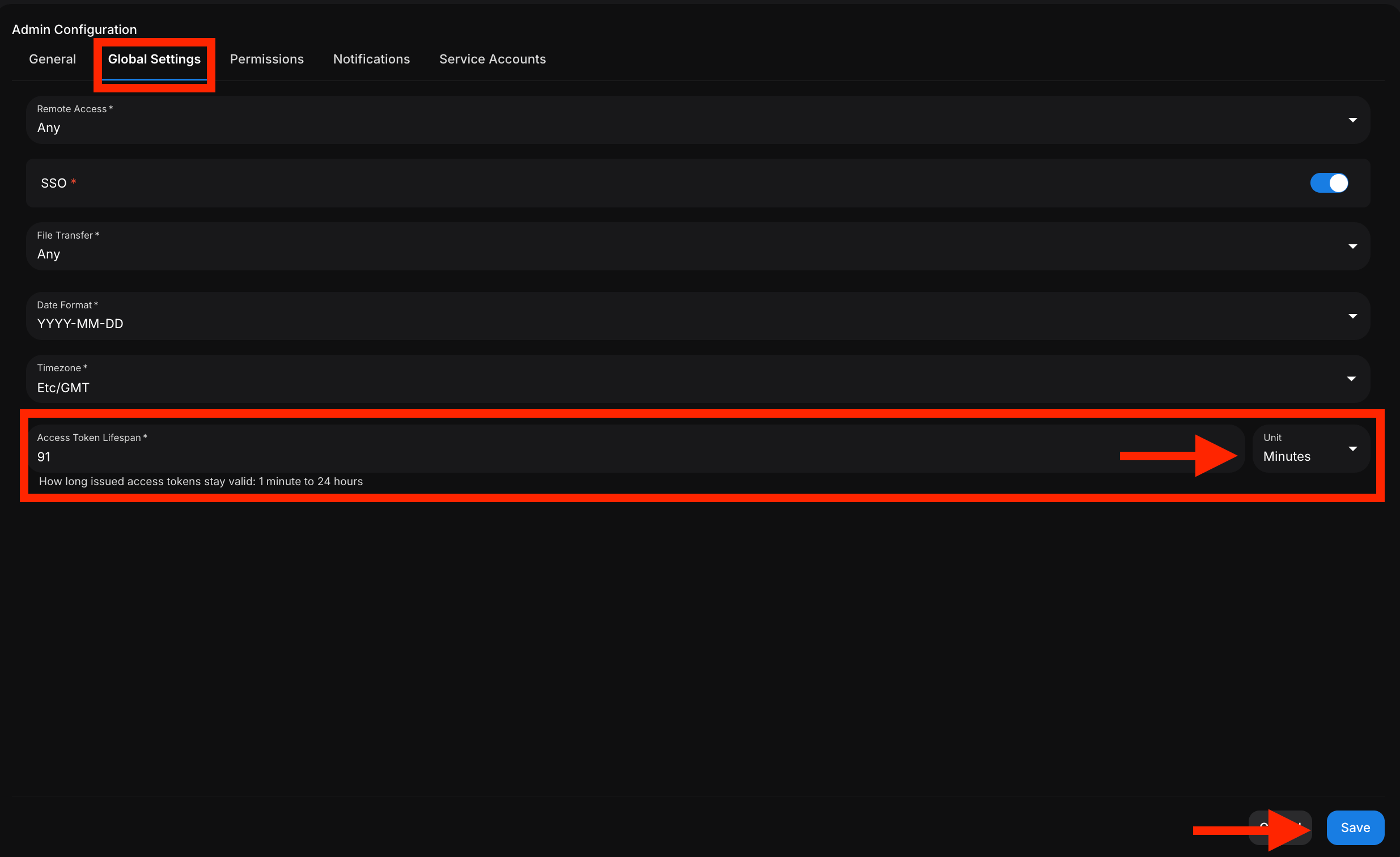
- Click Save in the bottom-right of the page.
The lifespan must fall within a valid range: 1 minute to 24 hours. The field help text reads: “How long issued access tokens stay valid: 1 minute to 24 hours”.
Related
- Service Accounts — machine identities that use access tokens
- Access Control — roles and permissions