
crcli auth login and the Cloud.Red MCP server.
This grant must be enabled for your tenant before anyone can run crcli auth login or connect an AI client to the Cloud.Red MCP server. If it is disabled, device-flow logins will fail with an authorization error.
Opening Admin Configuration
In the top-right of the Cloud.Red portal, select your profile, then choose “Admin Configuration”.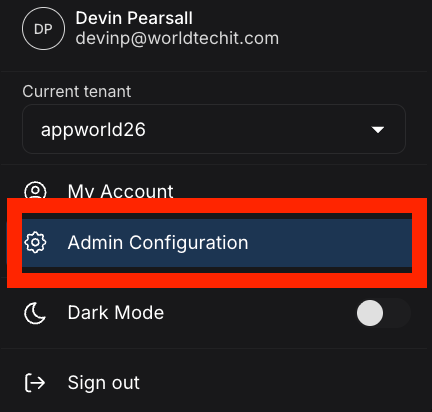
Enabling the Grant
In Admin Configuration, go to the “General” tab. Under the “Device Authorization” section, toggle “CRCLI and MCP Authorization Grant” on. The setting description reads: “Allow devices to obtain access tokens using the OAuth 2.0 Device Authorization Grant flow.” This must be enabled to use crcli or the MCP server.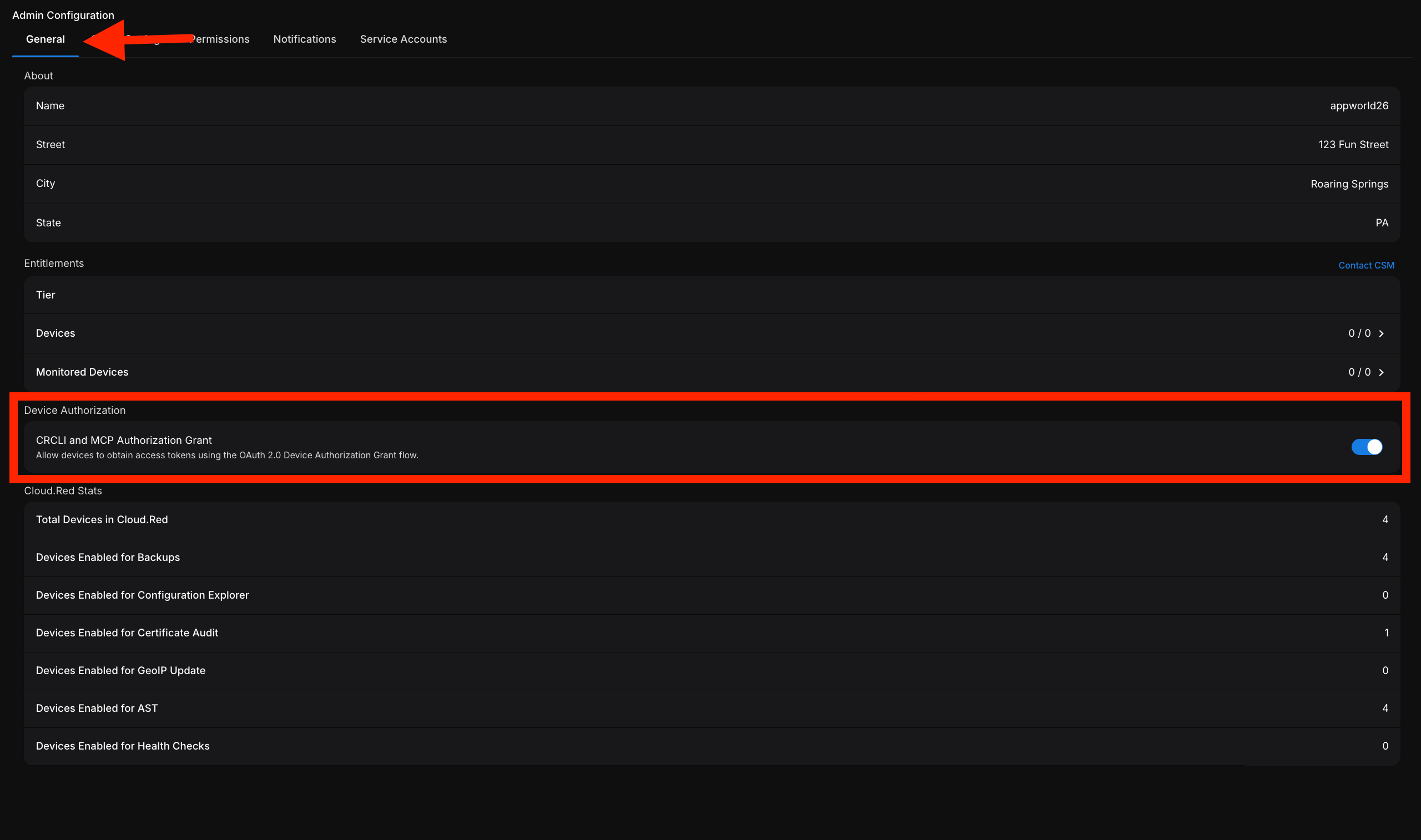
Disabling the toggle takes effect immediately and blocks new crcli and MCP logins for the entire tenant. Existing sessions may continue until their tokens expire.
Next Steps
- crcli Authentication — log in with
crcli auth loginonce the grant is enabled. - AI Integration (MCP) — connect Claude, Cursor, or any MCP-compatible client to Cloud.Red.